Some of your custom Odoo fields were never meant to be fields. They were meant to be JSON forms, for your team, your customers or your suppliers.
Why? Because:
- Regulations change
- Customers ask for their own forms
- Processes evolve
The fields and logic behind them change faster than your Odoo modules should.
Example:
A quality checklist that changes every time a certification body updates its requirements. As custom fields, every change means development, testing and a module upgrade. As a form linked to the Odoo record, you edit it and publish. Done.
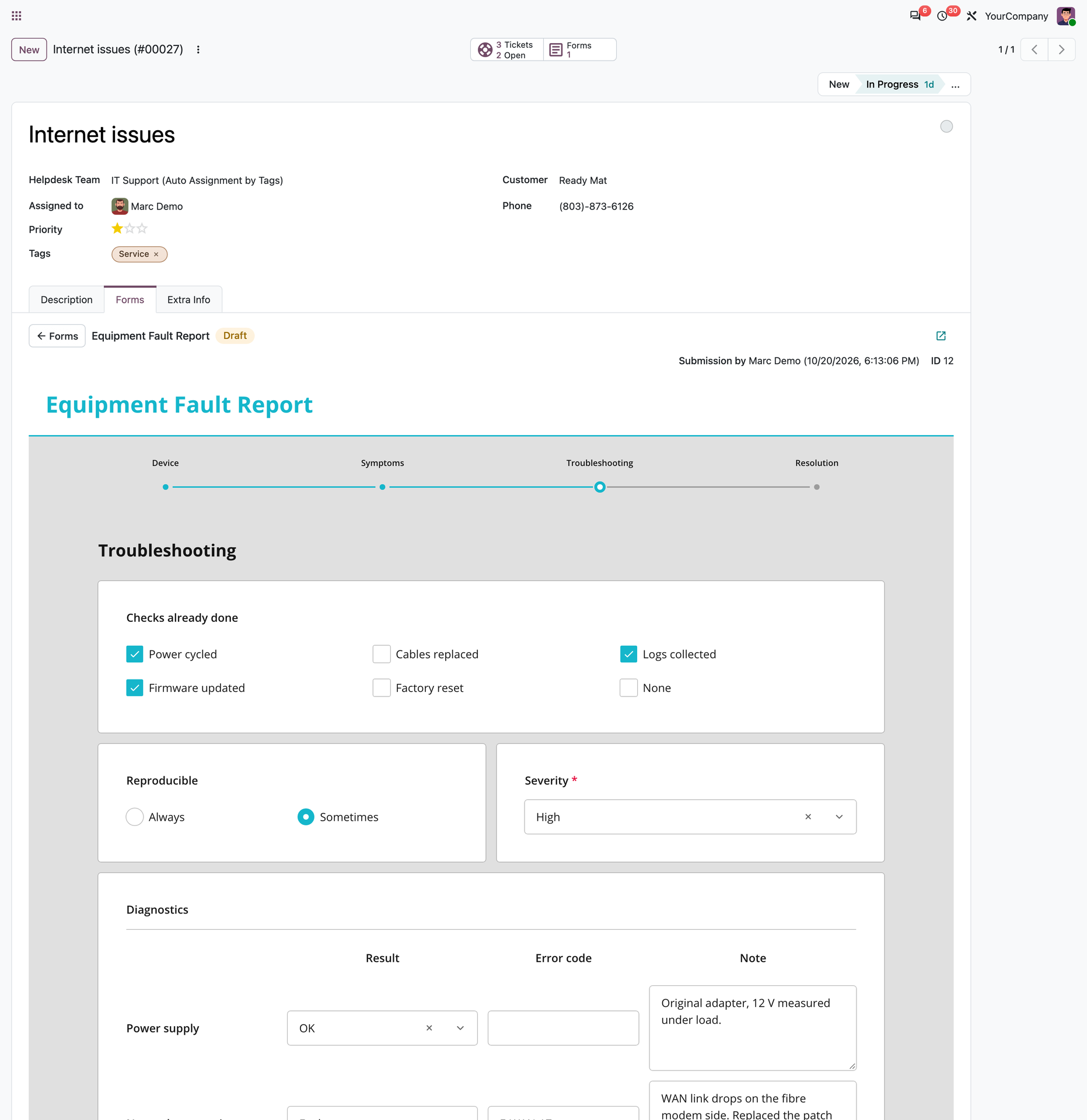
Moving this into no-code JSON forms means:
- No development cycle when requirements change
- A form per customer or process, without bloating core models
- Changes live on publish, with no module upgrade, release or restart
And it's not a one-way door:
- If you later decide that data belongs in Odoo fields, add them then and fill them from existing submissions.
- Less custom code, fewer regressions, cleaner upgrades.
That's the idea behind Nova Forms (Odoo app): no-code forms that link straight to Odoo records.
Where do you draw the line between "custom fields" and "JSON form"?