Offline forms in Odoo. No signal, no problem.
- Field technicians in a basement.
- Inspectors on a remote site.
- Sales reps at a trade fair with overloaded Wi-Fi.
The form still has to be filled in, signal or not.
Nova Forms on Odoo 20 now supports offline forms.
Fill in, save and submit forms without a connection, right in the Odoo web client, built on Odoo's own offline mode.
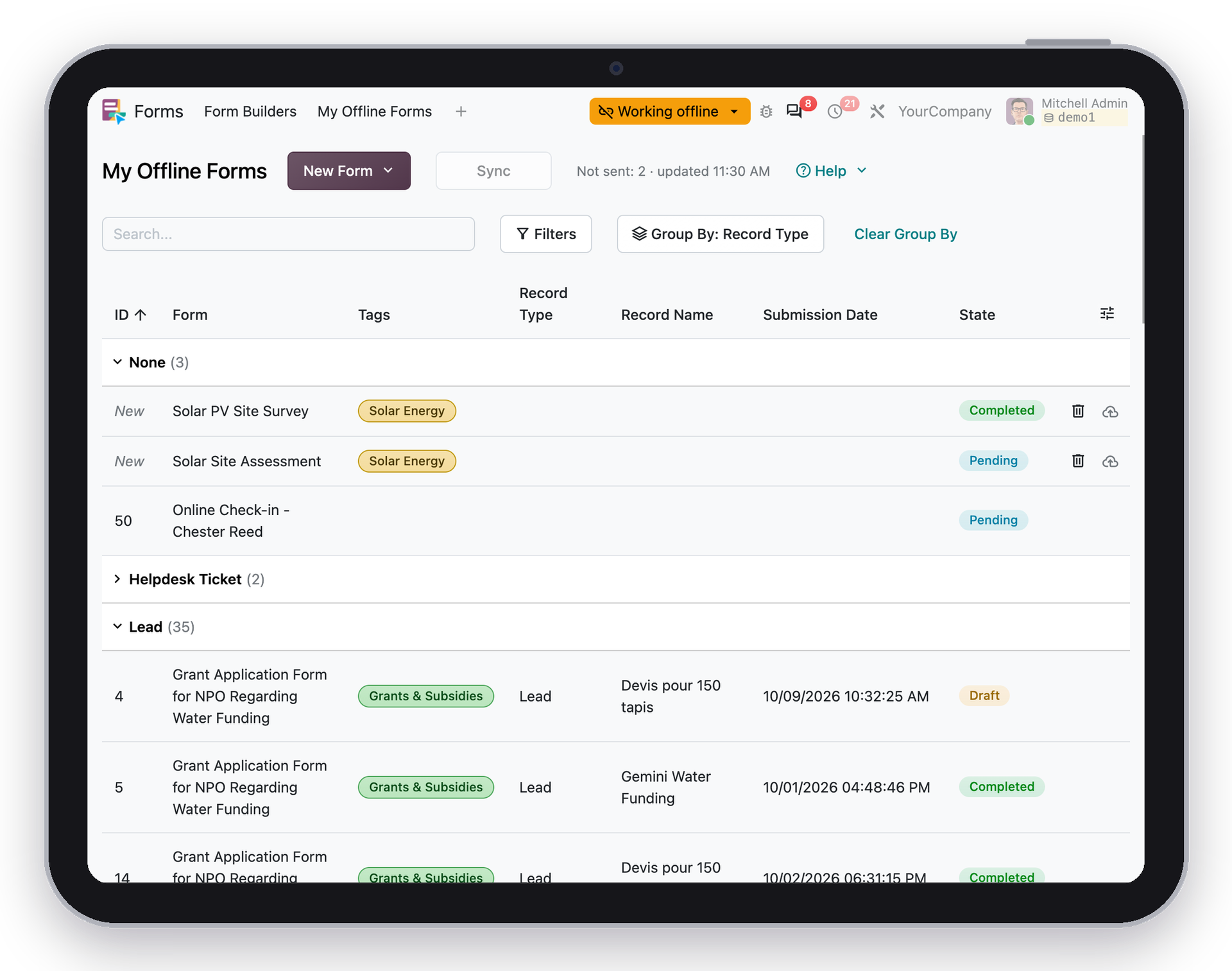
iPad mini screen with My Offline Forms (list view)
What you get:
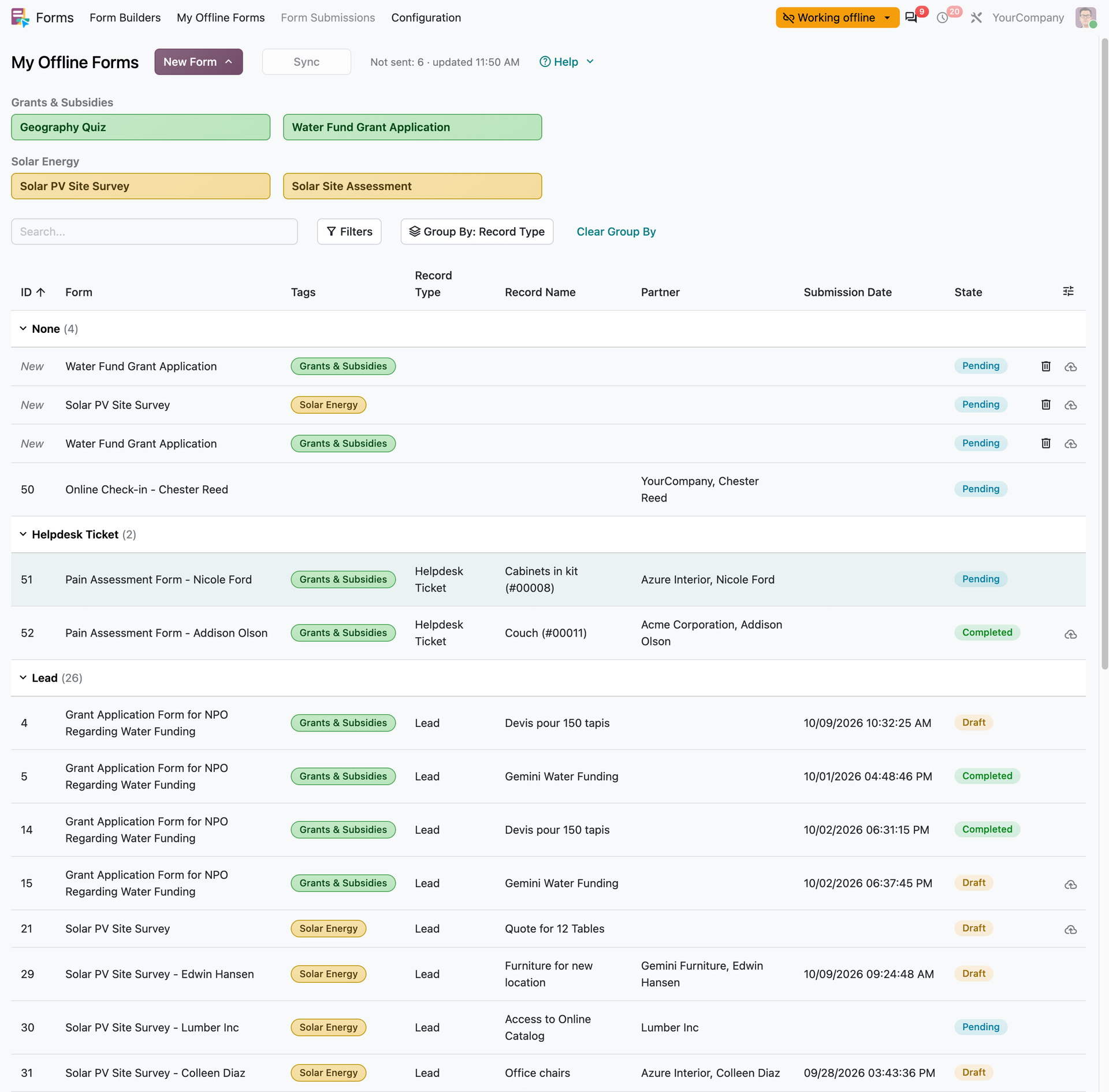
📋 My Offline Forms: forms assigned to you or submitted by you are ready offline, and kept up to date automatically while you're online.
🔗 Forms of a record: open a lead, ticket or task while online, and its forms work offline too.
➕ New forms offline: start a blank form offline, also from a record's Forms page.
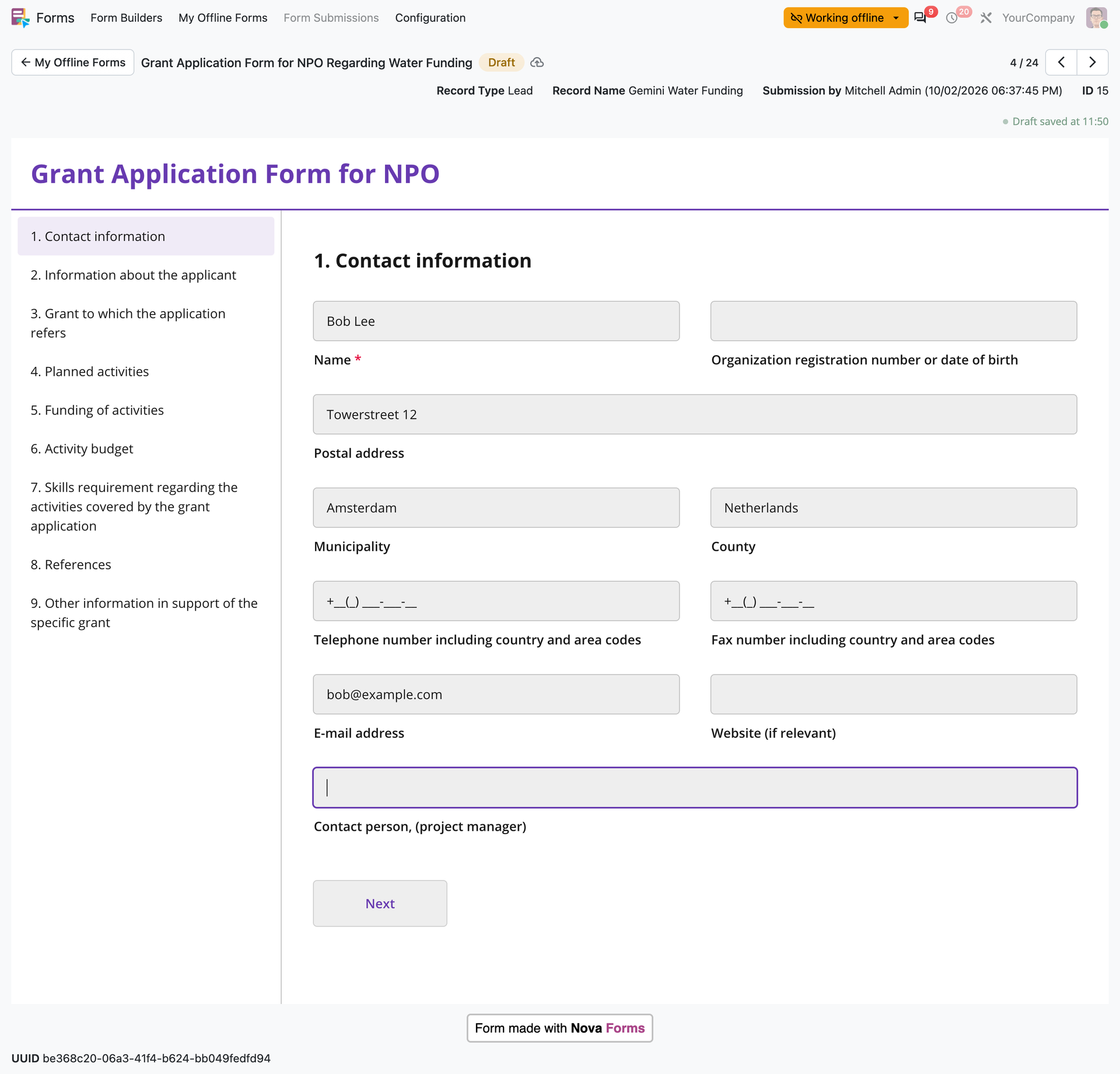
📷 Files and choices: upload photos and pick from choices loaded from Odoo, all offline.
☁️ Sent when back online: what you save offline is sent automatically once the connection returns.
And the details that make it practical day to day:
🔄 Manual sync (button) to fetch new forms whenever you want, from the dedicated My Offline Forms view
📤 A clear send state, so you see at a glance what's still waiting to go out
✅ Server validation errors shown when a form is sent once the connection is online, so nothing slips through unnoticed
🔍 Search, filters and group by on your offline forms
My Offline Forms (list view). Features listed above
Offline Form. Let's fill it out and wait for the sync (send)
No separate app, no workaround. Just your Odoo, your forms, wherever the work happens.