Don't describe it. Mark it. The Image Marker field is new in Nova Forms, the SurveyJS form builder for Odoo.
Some answers are a place, a spot, not a sentence.
Where does it hurt? Where is the dent? Which tile is cracked?
Written out, that takes a paragraph and still leaves room for doubt.
Odoo Portal: Form with Image Marker
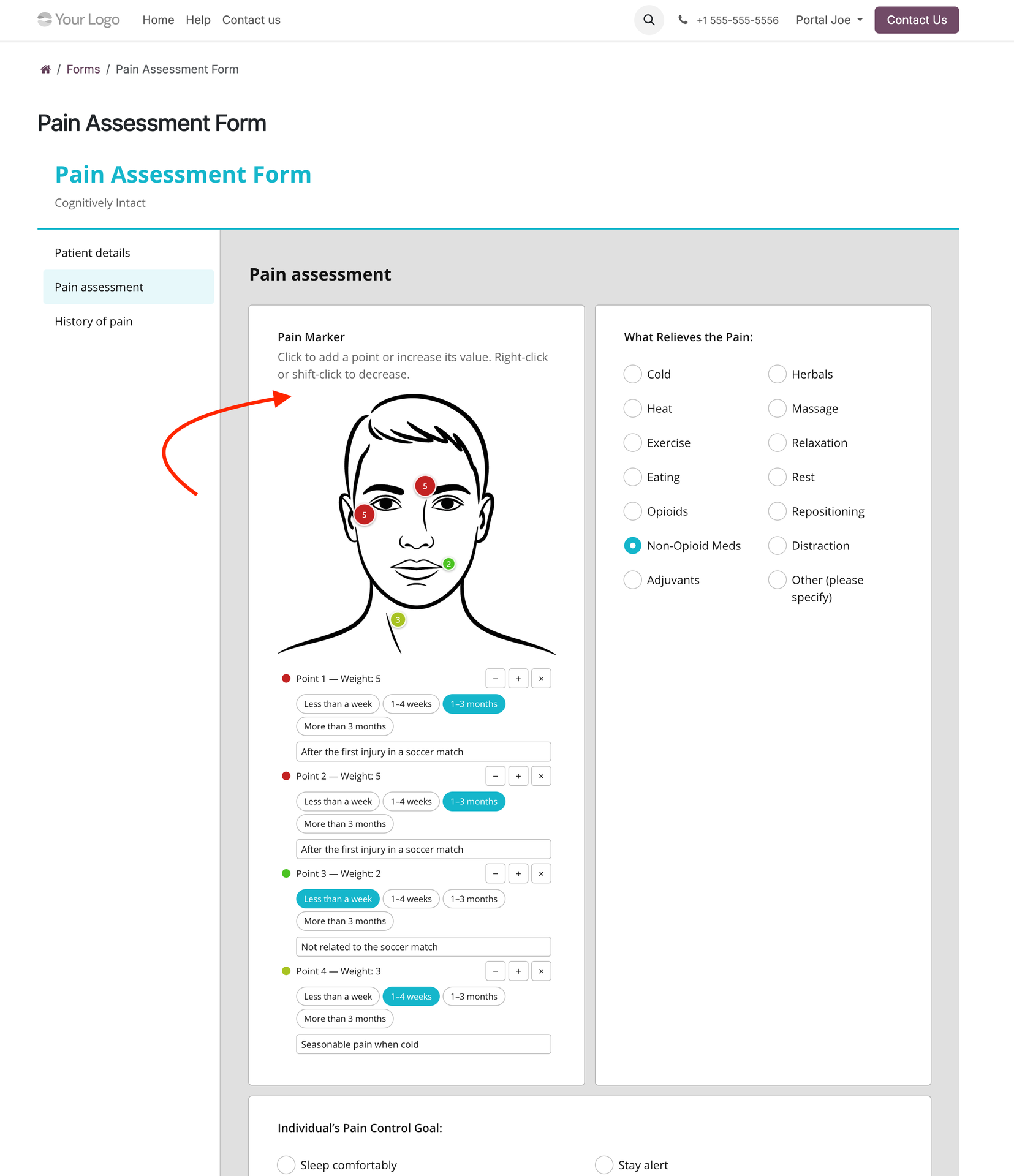
Here's what it does:
- A form field where people point or mark at the answer.
- They click or tap a picture to place a marker, and click the marker again to raise (increment) its value.
- A body diagram, a vehicle outline, a floor plan: one field type, with a different image and different labels.
Check out the other screenshots below ⬇️
Among the options:
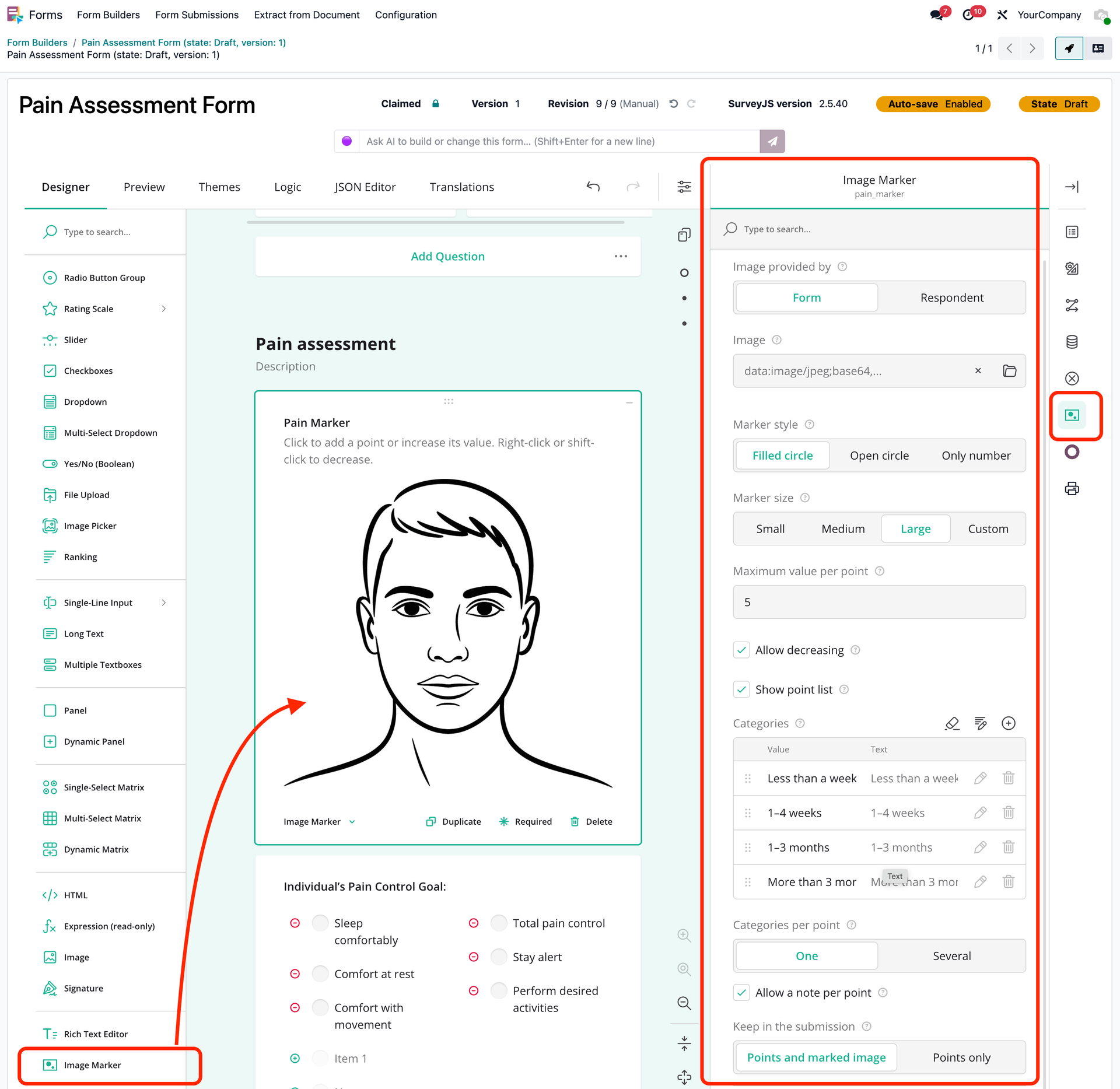
✅ Your own label and value name, such as "Severity", "Size" or "Defects", with a maximum and a colour ramp up to red
✅ Define categories per marker, one or several: "chipped tile", "water damage"
✅ A note per marker, for what a category can't say
✅ Minimum and maximum number of markers
✅ Marker style (filled circle, open ring or number only) and marker size
✅ The image comes either as static default with the form, or the respondent uploads their own photo
✅ A point list under the image, to adjust or remove markers on a phone or with a keyboard
Why the storage format matters:
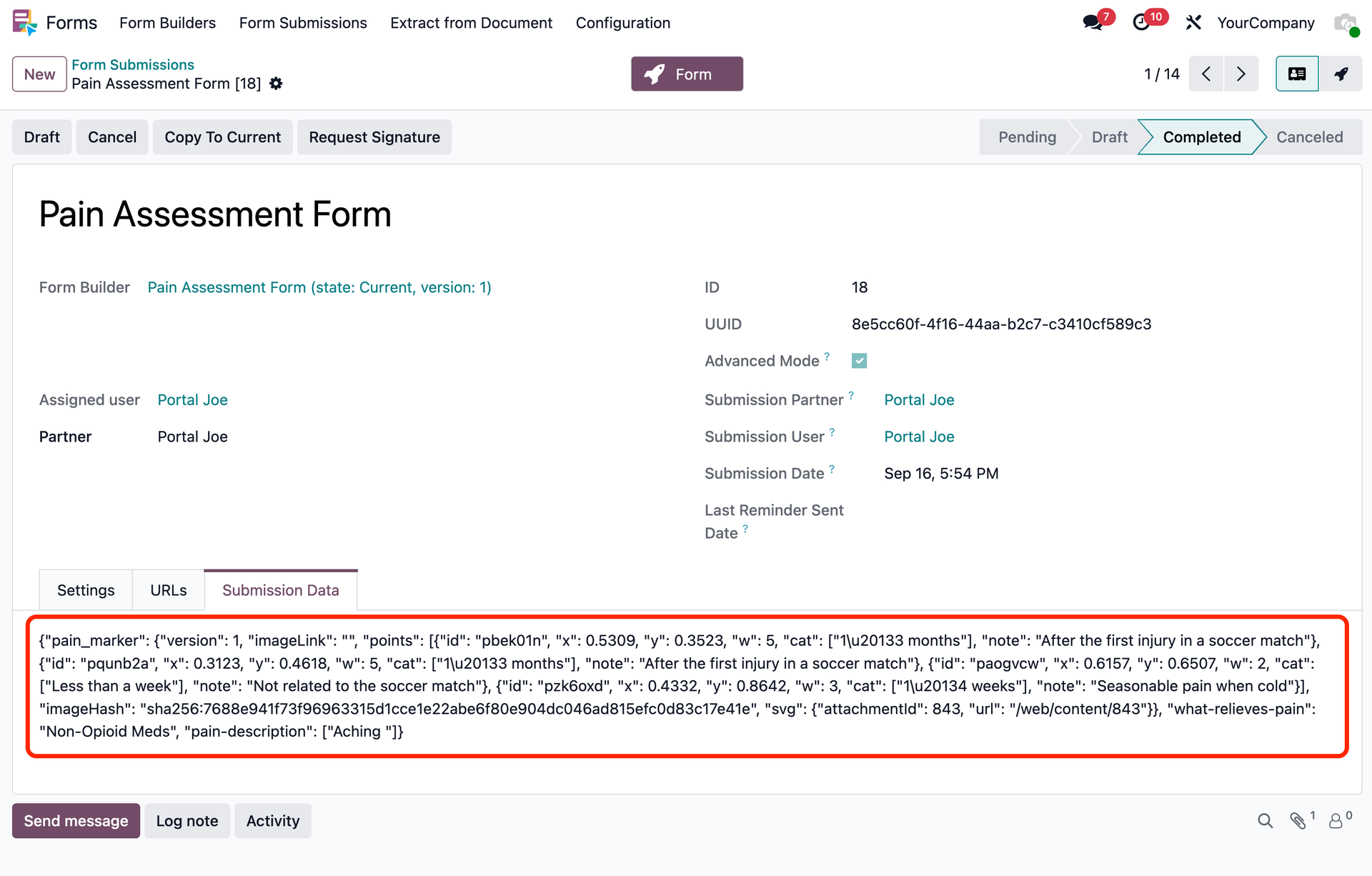
Every marker is stored as JSON data (position, value, categories, note), not as paint on a picture.
✅ Positions are relative to the image, so answers hold up at any screen size
✅ By default, the marked-up image is also saved as an SVG attachment with a numbered legend, to view, print or email on its own
✅ Each submission records a fingerprint of the image it was marked on, so a replaced image can be detected afterwards
✅ One answer, many outputs: the form, the SVG file, a PDF report (Forms • Reports), Python code (Forms • Data API)
Where it fits (some examples):
✅ Field service, on a photo the respondent uploads
✅ Property inspections and snag lists on a floor plan
✅ Healthcare: pain locations and skin findings on a body diagram
✅ Damage on building, device or vehicle
💡 A drawing shows where. A marker also says what, and how.
Screenshots ⬇️
Form Builder in Odoo backend, with Image Marker field configuration
Form Submission JSON data