Now available for Odoo 20: Forms inside Odoo records
📋 CRM leads, helpdesk tickets, field service tasks, quotations:
🚀 Fill in a form without leaving the record.
For example take a solar installer.
- The surveyor goes on site to check the roof, the meter cabinet and the grid connection.
- Before, that survey lived in a separate app, a PDF or a notebook.
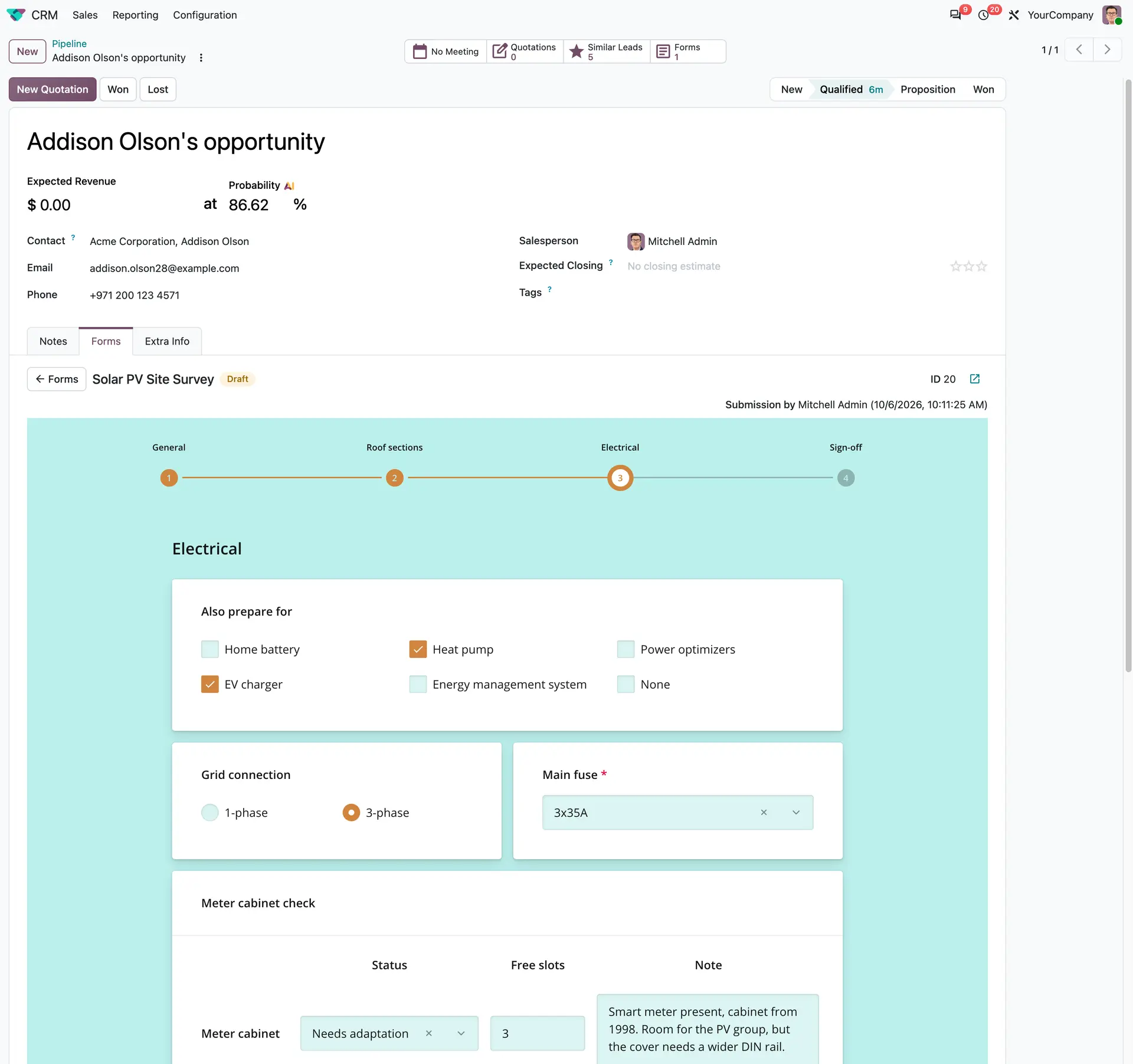
Now they open the opportunity and fill it in right there:
✅ Roof sections with photos and panel count
✅ A meter cabinet and grounding checklist
✅ Go / no-go advice, signed by the surveyor and customer
Advantages and integrations:
✅ The survey is saved on the opportunity, so sales can prepare the quote right away.
✅ No re-typing, no hunting for attachments.
✅ The same works for an assessment, an inspection, a checklist, or an onboarding form.
✅ Build it once with the Form builder, then start it from the record it belongs to.
So this provides a Forms tab on the model records (views) in the table below.
The only requirements is an additional "formio_" module you can find on the Apps page (in the main menu).
Model record | Forms module |
CRM Lead | formio_crm |
Helpdesk Ticket | formio_helpdesk |
Project Task | formio_project |
Sales Order / Quotation | formio_sale |
Purchase Order / RFQ | formio_purchase |
Contact | formio_partner |