🟣
Forms app
formio
Coming soon ... More documentation and videos.
Save as Draft button
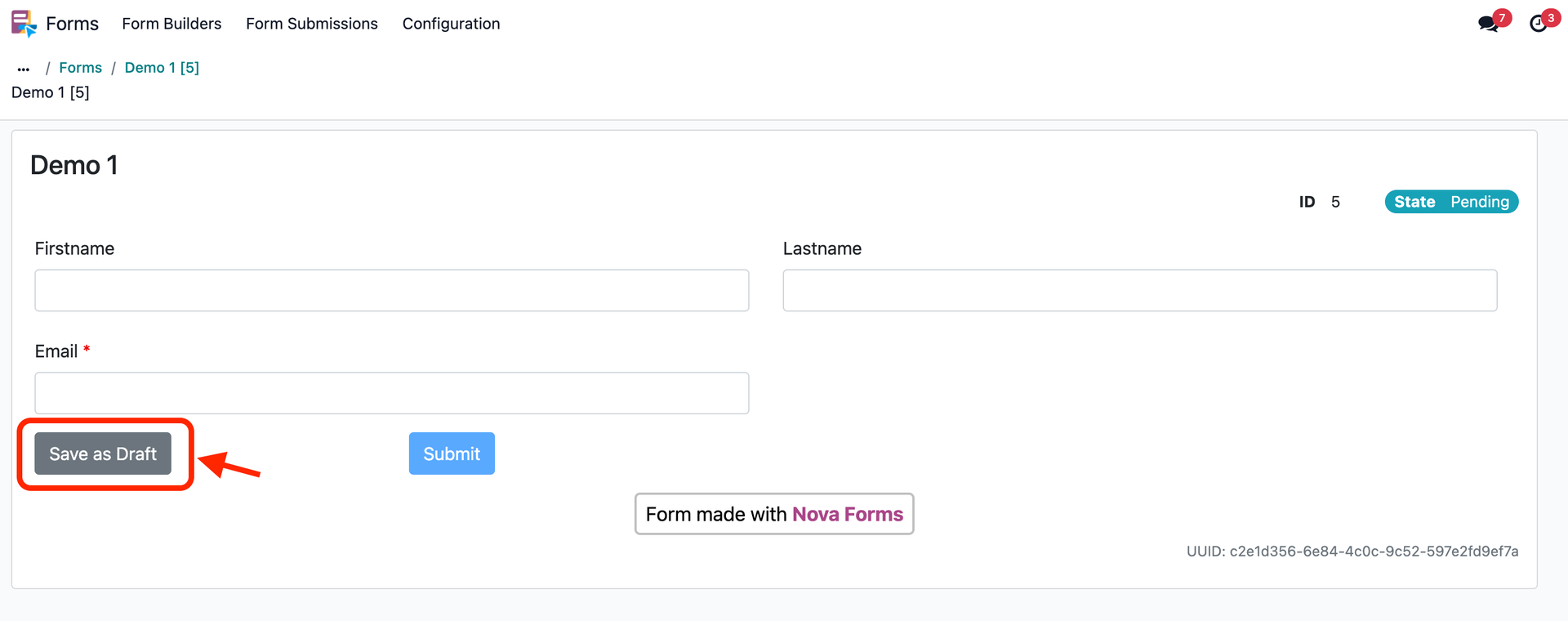
It's possible to add a "Save as Draft" button, as shown in the screenshot.
Recommended steps (in the form builder)
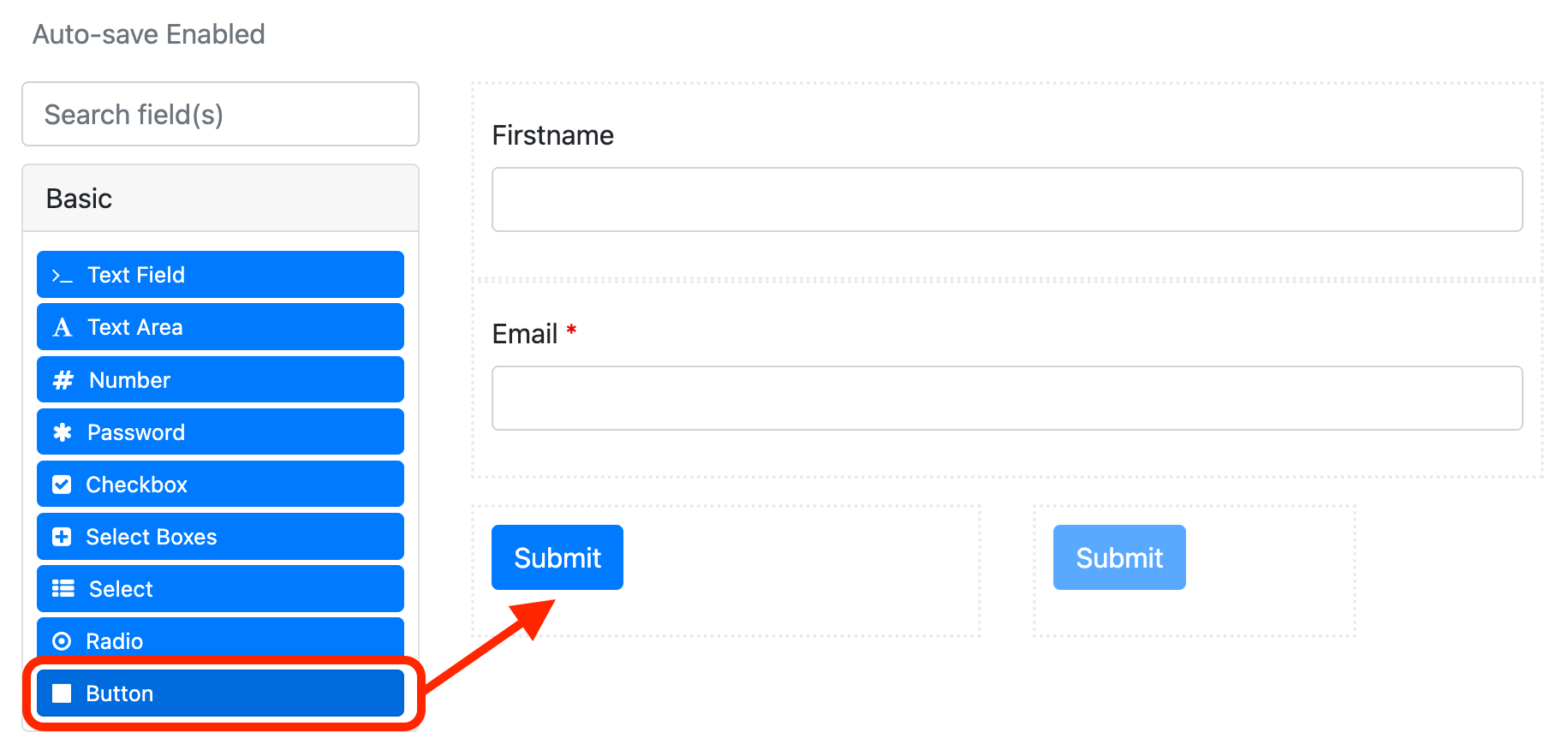
(1) Add a button component.
Add a standard button component that will be displayed as a submit button.
(2) Copy (to clipboard) the button JSON below.
{
  "label": "Save as Draft",
  "action": "saveState",
  "showValidations": false,
  "theme": "secondary",
  "alwaysEnabled": false,
  "tableView": true,
  "key": "saveDraft",
  "properties": {
    "submit": "false"
  },
  "type": "button",
  "mask": false,
  "input": true,
  "defaultValue": false,
  "state": "draft",
  "reorder": false,
  "hideOnChildrenHidden": false
}
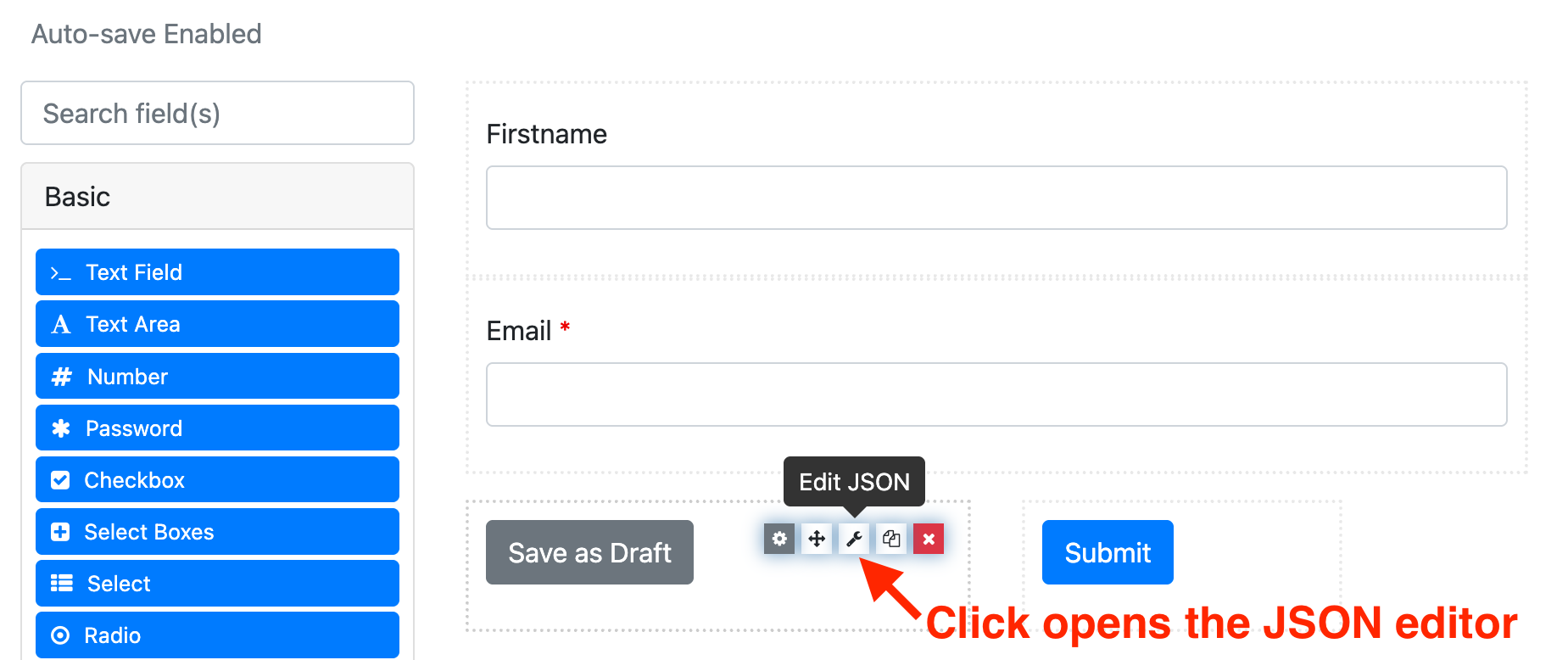
(3) Paste the button JSON as shown in the screenshot and save the component.